20/10/2026 14:50
Can Buyers See the Weave? YouTube Quality Checks for Cambodian Mat Shops

A woven mat can look clear on the shop’s recording phone and become difficult to judge when customers watch the uploaded video. The border may merge into the background, or the weave may look like a flat patch. Before promoting that video, identify where the detail disappears. This guide uses a hypothetical Cambodian mat shop to explain a repeatable YouTube quality check: compare the original recording, inspect the exported file, review the uploaded player, and decide whether to wait or improve the footage. For an SMM-panel customer, this also establishes an important boundary: an engagement service cannot repair an unclear demonstration or prove that buyers understood it.
1. Define the detail a buyer should be able to identify
Start with a buying question rather than a resolution target. In our hypothetical Phnom Penh shop, customers ask whether a mat has a separate fabric binding or simply a woven edge. The video should make that distinction visible. Write a review question such as: “Can someone identify the border construction without already knowing this product?” This gives the reviewer something concrete to assess. “Does the video look professional?” is too broad to guide a useful correction.
Choose one primary detail and one supporting view. For this example, use a close-up of the corner and a wider shot establishing which mat it belongs to. Keep the actual sample beside the reviewer so they can compare the object with the image. Do not make visual clarity carry claims it cannot support: a close-up may show construction, but it does not establish long-term durability, exact colour under every light, or how comfortable the mat feels.
2. Compare the recording and export before blaming playback
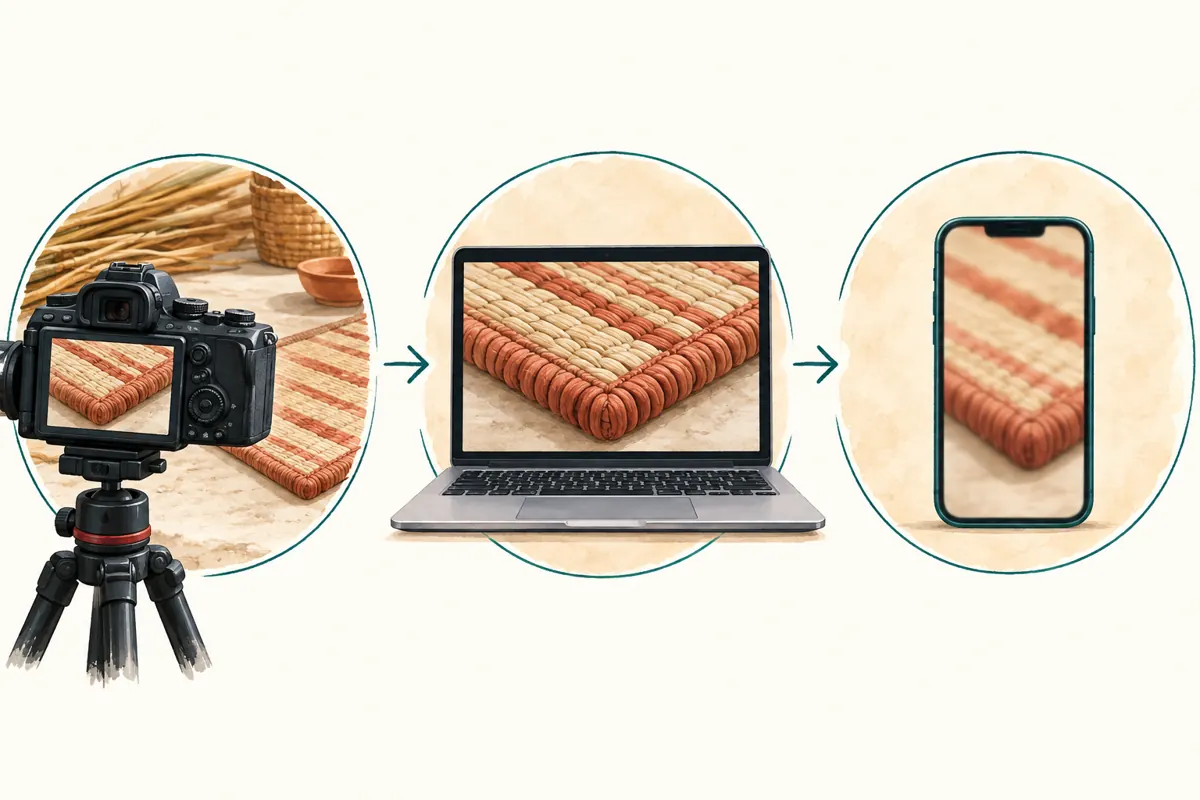
Watch the original recording at the moment when the corner is visible. Check whether focus rests on the binding, whether fingers cover the seam, and whether movement prevents inspection. Then watch the finished file intended for upload at the same moment. If the recording is clear but the export is soft, review the editing and export process. If both are unclear, changing a viewer’s YouTube settings will not solve the underlying problem.
Use the same screen for this first comparison where practical. Comparing a large computer display with a small phone introduces another difference before you have isolated the problem. Note the exact scene and what becomes hard to distinguish, such as “the two edges merge when the mat turns.” Keep the original recording and approved export identifiable by date and product reference. This prevents a teammate from checking an earlier draft and mistakenly approving the current upload.
3. Allow for YouTube’s processing stage
YouTube explains that uploads become available in lower quality first, while higher-quality versions may take longer to process. A newly uploaded video can therefore appear softer than its finished version. Check the watch page’s Quality menu for the expected higher-resolution options before judging a fresh upload. Processing time varies, so avoid building a promotion plan around an assumed fixed waiting period. See [YouTube’s guidance on low quality after upload](https://support.google.com/youtube/answer/71674?hl=en).
For the hypothetical shop, the practical response is to upload ahead of the planned announcement and leave time for inspection. Record “higher-quality version not yet available” separately from “border remains unclear after review.” Those observations lead to different actions. The first calls for another check later; the second calls for closer investigation. Do not repeatedly upload identical copies simply because the first playback looked soft, since that can leave the team with several links and uncertainty about which version to promote.
4. Compare ordinary playback with a selected quality
First open the video as you normally would and inspect the chosen detail. Then check the player’s quality setting. On Android, YouTube documents Settings, Quality, and options including Auto, Higher picture quality, Data saver and Advanced; available choices can vary. Higher picture quality uses more data and may increase buffering. Auto responds to viewing conditions, so two reviews may not use the same quality. Consult [YouTube’s video-quality instructions](https://support.google.com/youtube/answer/91449?hl=en) for the relevant device.
Make a short comparison note: device, connection type, setting used, scene checked and whether the binding was distinguishable. This is a diagnostic exercise, not a scientific benchmark of Cambodian connectivity. A result from one shop phone cannot describe everyone’s experience. If a selected higher quality reveals the detail but ordinary playback does not, the footage may still need a larger close-up. A useful product explanation should not depend entirely on every customer finding and changing a setting.
5. Reshoot the detail so it survives less favourable viewing
When the border occupies only a tiny portion of the frame, move the camera closer while maintaining focus. Place a plain background behind the corner and use steady, even light. Hold the mat still long enough for a viewer to locate the seam. Point beside the detail, then withdraw the hand. Record a separate wide view for context instead of trying to show the whole shop, the whole mat and a small stitching detail simultaneously.
Use spoken Khmer appropriate to the shop’s customers to identify what is being shown. For example, explain that the close-up shows the edge of the displayed sample, then describe its construction accurately. Do not claim that a clearer image proves superior quality. Avoid filters or aggressive sharpening that make the weave appear different from the product. The objective is an understandable view of the actual item, with enough context that customers do not confuse it with another size or design.
6. Run a small comprehension check
Ask a colleague who did not edit the video to watch it on a phone they normally use. Give them the buying question without telling them the answer. After viewing, ask which edge construction they saw and which shot helped them decide. If they guess correctly but cannot point to the relevant detail, treat the result cautiously. They may be relying on product knowledge, narration or the appearance of a similar mat.
Record the explanation in their own words. “I could see a separate strip around the corner” is more informative than “looks good.” If the colleague identifies the wrong mat, improve the transition between the wide shot and close-up. If they understand the border but cannot read a small product reference, enlarge or simplify that reference. This review tests the clarity of one explanation. It does not predict sales, establish audience demand or justify claims that the campaign has already succeeded.
7. Decide whether to wait, adjust or reshoot
Use the evidence in sequence. If the source recording lacks detail, reshoot. If the source is clear but the exported file loses it, revise the export and inspect the replacement. If the export is clear and higher-quality upload processing is unfinished, wait and review again. If a completed upload looks clear at a selected quality but confusing during ordinary playback, strengthen the close-up and spoken explanation before relying on the video for promotion.
In the hypothetical shop, imagine that the weave looks acceptable but the narrow border disappears whenever the camera pans. The useful fix is a stable corner shot, not a longer introduction or more decorative transitions. After making that change, repeat the failed check rather than restarting every unrelated review. Approve the video only when the buying question is answerable under the conditions you tested, and record those conditions honestly instead of declaring that it will be clear on every device.

8. Keep SMM catalogue claims separate from video readiness
The supplied catalogue includes “YouTube Subscribers ~ 𝐍𝐎 𝗥𝗘𝗙𝗜𝗟𝗟 ~ 𝐍𝐨𝐭 𝑺𝘁𝗮𝗯𝗹𝗲 ~ 1k-10k/days ~ INSTANT”. Its description is empty. The title identifies a subscriber-related listing, but its timing and stability wording is not independently verified evidence. It provides no basis for claiming video-quality improvement, Cambodian viewers, customer enquiries or genuine interest. Do not infer additional capabilities from the listing, and do not treat its availability as a reason to use it.
YouTube prohibits artificial increases in engagement metrics and warns that actions by a hired promoter can affect the channel. Review the proposed method against [YouTube’s fake engagement policy](https://support.google.com/youtube/answer/3399767?hl=en) and reject artificial engagement. Purchased engagement is not evidence of sales, ad delivery or Cambodian users. For this workflow, the useful panel-related decision may be to place no order and direct the effort toward clearer footage and appropriate distribution of the finished guide.
9. Promote the explanation and review actual questions
Once the video passes inspection, introduce it with the specific question it answers. A hypothetical message could say: “This guide shows the corner binding on our displayed reed-mat sample. Tell us which size you are considering.” Confirm current stock and product identity before attaching that message to an offer. Share the guide through the shop’s own relevant customer touchpoints, and answer questions with information about the actual item rather than treating every interaction as purchase intent.
During the next review, collect concrete misunderstandings. Customers asking whether the border is included may signal that the narration needs improvement. Customers asking about another colour may simply need product information. Keep these categories separate. Do not attribute enquiries to one promotional action unless the available evidence supports that connection. A short record of the question, product reference and response can guide the next video without exposing customer names, contact details or private conversations.
10. Avoid shortcuts that hide the real problem
One common mistake is reviewing only the finished file stored on the editor’s phone. That skips the uploaded viewing experience. Another is testing only at the best available quality and assuming the result applies to ordinary playback. A third is asking viewers to zoom or change settings to compensate for a detail that should have been filmed more clearly. Viewer controls can help diagnosis, but they are not a substitute for a readable demonstration.
Also avoid presenting the article’s conceptual illustrations as photographs of stock or evidence of product construction. Use actual product footage for buying decisions. Keep a brief approval note containing the final video link, the sample shown, the question answered and any remaining limitation. If you later change the product or publish a replacement video, check the promotional references again. Clear documentation should make the next decision easier, not create a large reporting task that nobody maintains.

Frequently asked questions
Should a Cambodian mat shop always record in 4K?
Choose a recording setup that captures the required detail reliably and fits your editing workflow. A resolution label alone does not correct missed focus, blocked seams or poor framing. Test a short sample before recording the full demonstration. A clear, stable close-up is more useful than a larger file that still fails to show the border.
What should staff say when a customer reports a blurry video?
Ask which detail they need to see and whether the whole video or only one scene is unclear. Offer a clearer product photo or another explanation while investigating. If appropriate, suggest checking the player’s quality setting, but do not insist that the customer use more data or imply their device is at fault.
Does a clear weave close-up prove that two mats have the same quality?
No. A video can help viewers inspect visible construction, but it cannot establish every material or performance characteristic. Identify the exact samples and describe only what you can substantiate. For questions about feel, colour matching or suitability, explain the limitations and offer inspection or additional confirmed product information.
Can a subscriber service make YouTube process the video more clearly?
The supplied subscriber listing provides no support for that capability. Keep upload processing, playback conditions and engagement metrics separate. Investigate the recording and viewing workflow when detail is unclear. Do not purchase artificial engagement as a technical fix or use a changed subscriber count as evidence that customers understood the demonstration.
Explore the current service catalogue, create an account, or ask a specific question through support tickets.
- YouTube Help: Low video quality after upload
- YouTube Help: Change the quality of your video
- YouTube Help: Fake engagement policy
Prepared with AI assistance. Illustrations explain the workflow and do not represent customer results.